Assistly
Unified knowledge.Smarter support.
Connect. Sync. Understand.One AI platform for yourWebsite BotandAgent Assist— grounded in the sources you choose.Connect. Sync. Understand. One AI platform for your Website Bot and Agent Assist — grounded in the sources you choose.
Sign in with your organization account
How it works
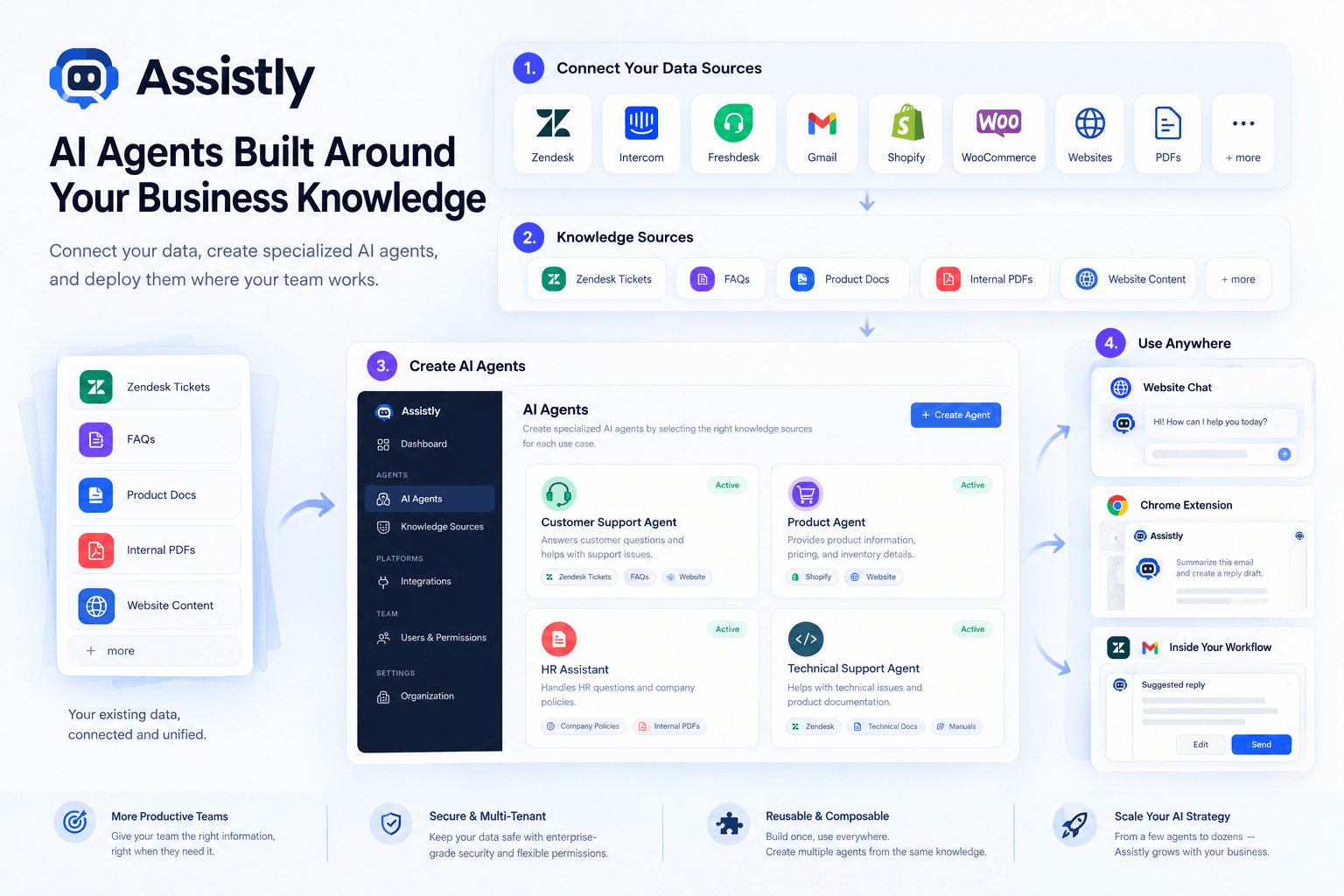
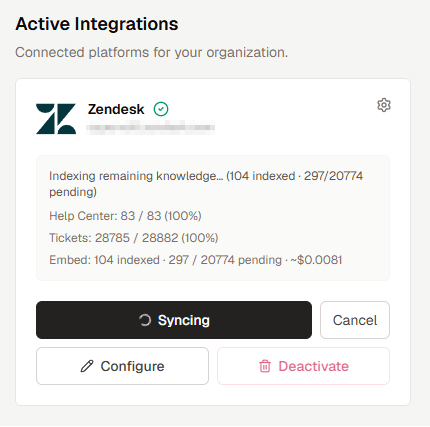
Connect platforms. Sync into one Vector DB.
Owners connect helpdesks with credentials or OAuth, set a sync schedule, and Assistly indexes Help Center articles and tickets into an organization-scoped knowledge base — ready for AI.
One central knowledge base
Platforms sync into your organization's Vector DB. Each Agent and the Website Bot then selects only the sources it needs.
Multi-tenant · org-isolated
Sources
 Zendesk
 Intercom
 Freshdesk
 Gorgias
 Gmail
GmailPer bot
Agent A
Chrome AssistUses: Zendesk
Agent B
Chrome AssistUses: Zendesk · Gmail
Website Bot
Storefront widgetUses: Zendesk
ZendeskIntercomFreshdeskGorgiasGmail HubSpot
 Salesforce
 Notion
 Confluence
 Slack
Slack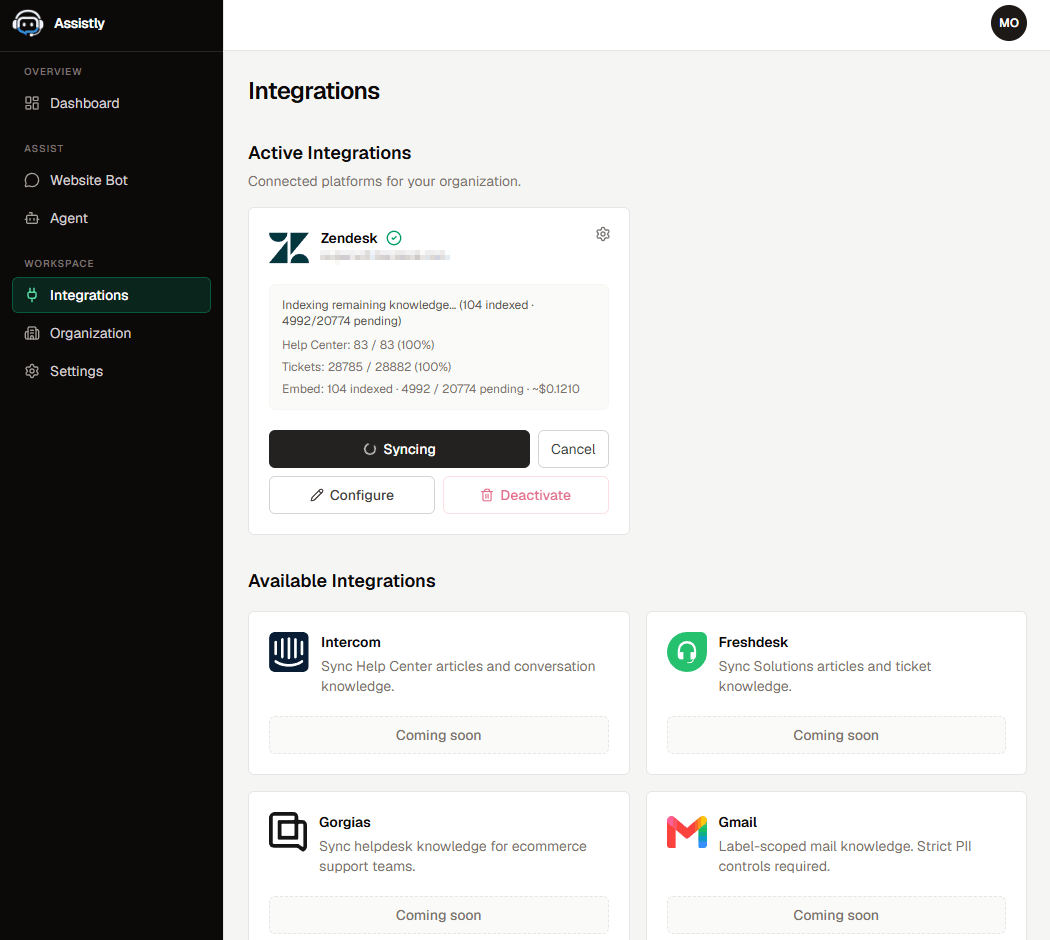
Custom answers
Pick the knowledge each bot should use.
Website Bot and every staff Agent select one or more imported sources. Answers stay grounded in what you enable — not the entire internet.
Custom Agents.Your sources.
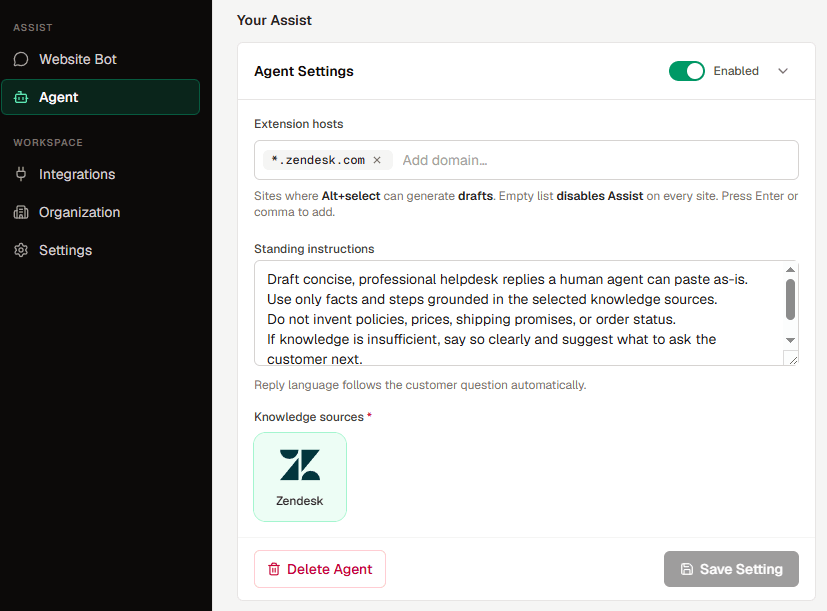
Choose the knowledge sources each agent should use to get the right answers — tailored per teammate inside your organization.
Agent Settings
Knowledge sources
ZendeskGmailAlex
Returns
Sam
Billing
Jordan
Technical
Website Bot
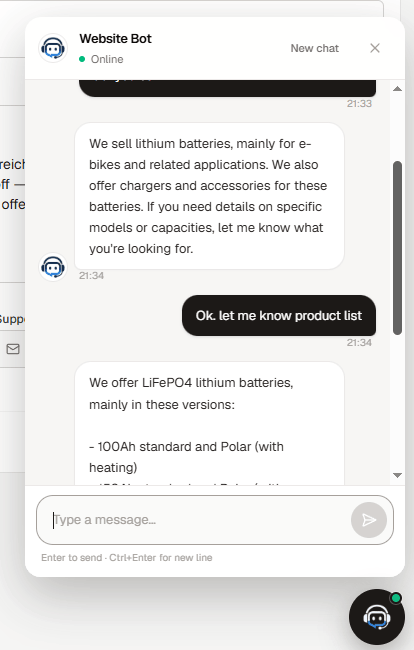
Embed a chatbot that answers from your knowledge.
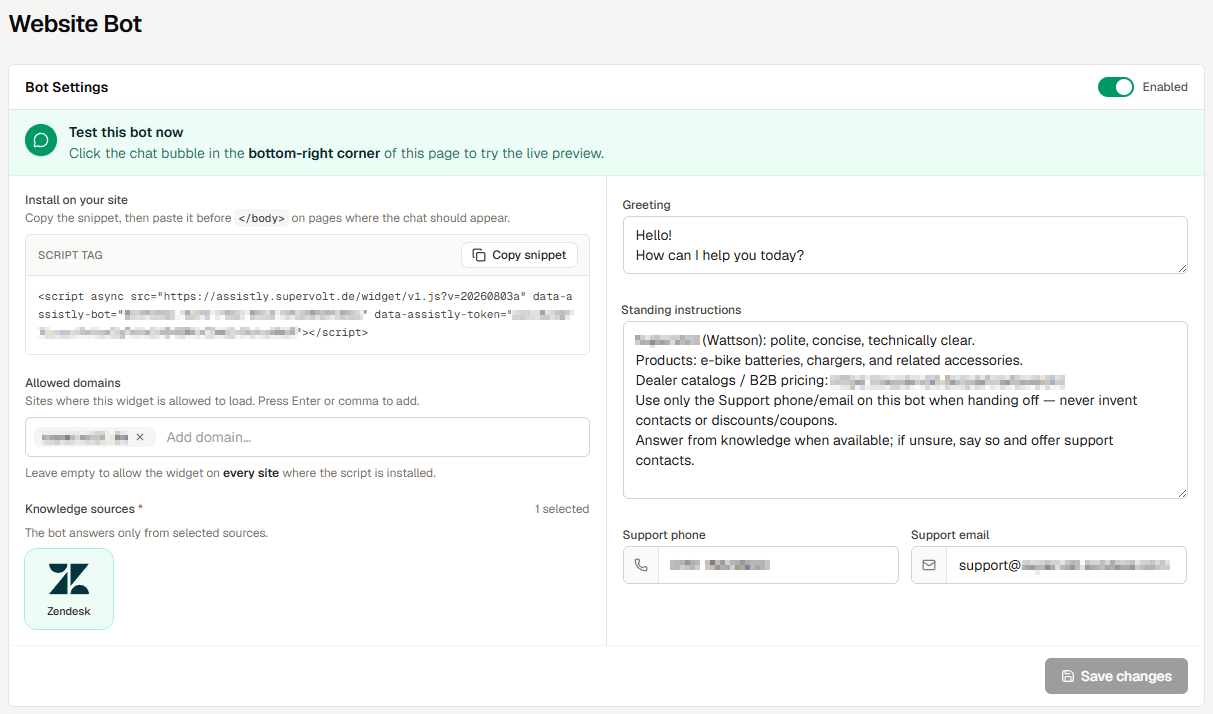
Drop a generated script on your site or ecommerce storefront. Customers chat with a bot that retrieves from your selected integrations — with handoff contacts when knowledge is thin.
- Public widget for visitors — separate from staff Agent Assist.
- Allowed domains and a static embed snippet (copy only — no freeform script editing).
- Same grounded retrieval core as Agent drafts — org-scoped Vector DB.
Agent Assist
Drafts where you cannot embed code.
On Zendesk, Gmail, and other allowed hosts, members sign into the Chrome extension, hold Alt / Option, select text, and get a grounded draft copied to the clipboard.
STEP 01
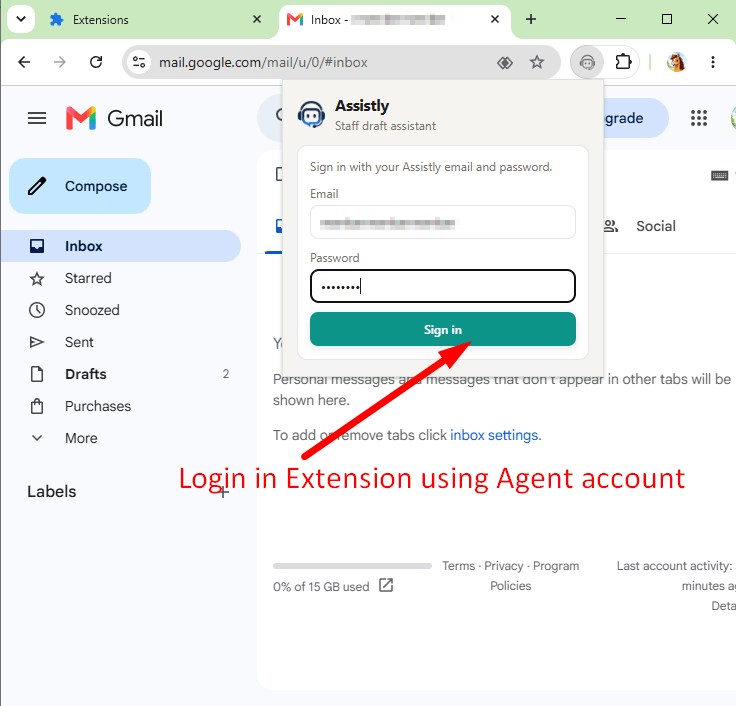
Sign in
Members use the same org credentials as the dashboard. One active extension session per user keeps access controlled.
STEP 02
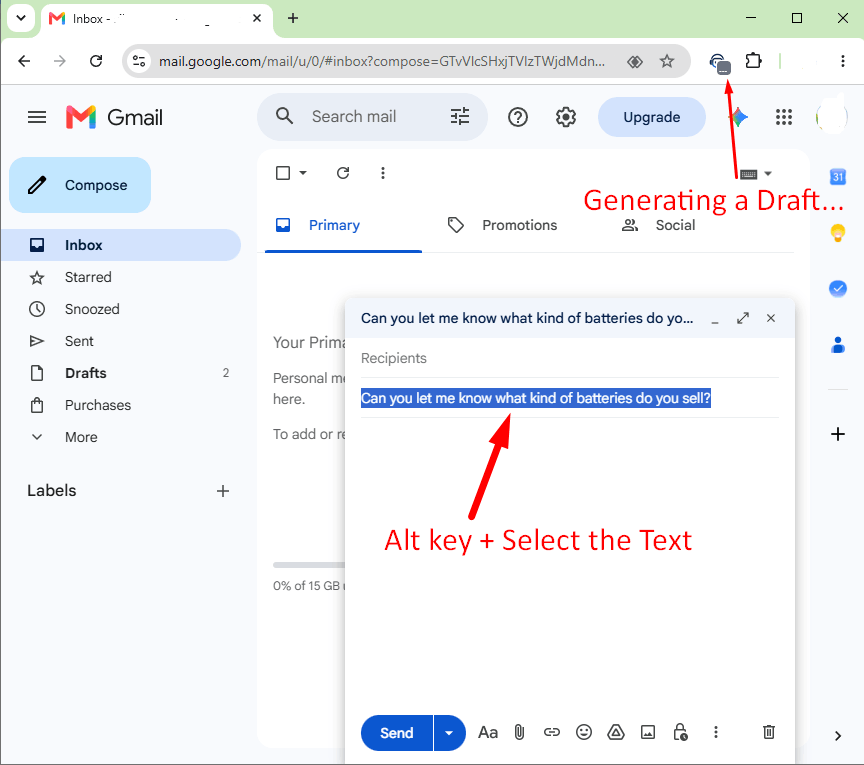
Alt + select
On configured hosts, hold Alt (Option on Mac) and select the customer question. Assistly generates a grounded draft from your selected knowledge sources.
STEP 03
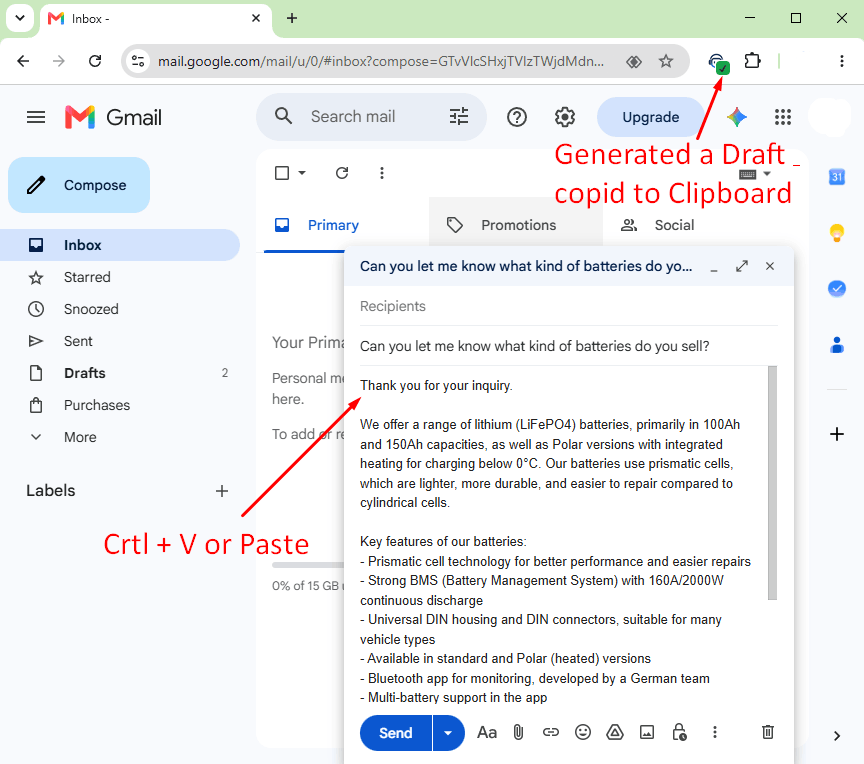
Paste the draft
When the badge shows success, the reply is already on your clipboard — paste with Ctrl/Cmd+V and send.
Multi-tenant platform
Built for organizations. Tailored per company.
Assistly is a multi-tenant SaaS: each organization gets its own isolated workspace, Vector DB collection, integrations, Website Bot, and member Agents — so your knowledge never mixes with another company's.
Org-isolated data
Credentials, sync jobs, embeddings, and chat stay inside your organization boundary.
Company-tailored bots
Owners connect the platforms you use; each Agent picks sources that match their role.
Secure by default
Encrypted secrets, role-aware access, and grounded answers — never invented policy.
Operating principles
Secure & private
Encrypted credentials · org-scoped retrieval
Scheduled sync
Keep Help Center and tickets fresh
Team Agents
Each member picks sources and hosts
Grounded drafts
Clarify or hand off when knowledge is thin

Ready to assist from your knowledge?
Sign in with your Assistly account to connect sources, sync knowledge, and launch Website Bot or Agent Assist.
Get Started